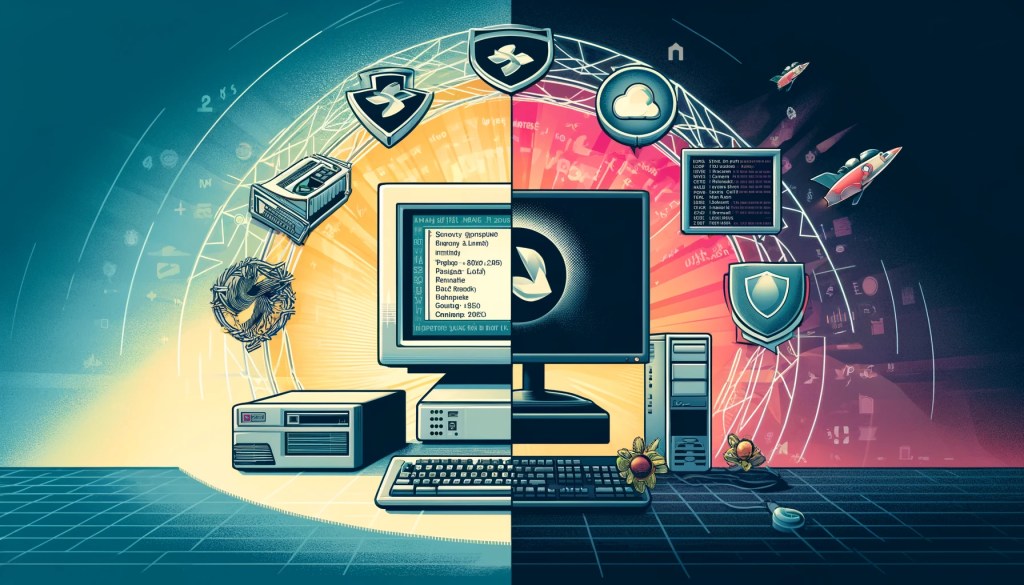

A long time ago…
I was in grade seven. I was about twelve years old at the time. I got my very own first computer. It was an old, bulky, heavy system, an IBM PC XT with a large bulky amber monochrome monitor to match. It sported a 20MB hard drive, which would be laughably slow, and noisy by today’s standards. It ran DOS.
I later upgraded from an IBM PC XT with a monochrome monitor to a color (CGA) monitor, which I remember also had RCA jacks so you could hook it up to a VCR (Video Casette Recorder). But now I had color! I had also aquired a 1200 baud Hayes-compatible modem at a local flee market for $5 because the seller didn’t know what it was. Ah, the good old days.
A bit later on, I upgraded to a Compaq Presario 486 DX2 with an SVGA monitor with first a 1440bps, then a 9600bps modem. I was lucky enough to experience connecting to BBS’s (Bulletin Board Systems), and to use IRC and USENET newsgroups at a fairly young age. I learned a lot about TCP/IP networking in those days as well, because my friends and I would always find a reason to experiment with seemingly complex network connectivity for gaming purposes – either on a local network separated by various hubs and switches, or remotely over dial-up modems using the IPX protocol. These early experiences laid the foundation for my fascination with computing.
The IBM PC XT was a revolutionary machine for its time. Introduced in 1983, it featured an Intel 8088 processor running at 4.77 MHz. This machine came with a 10MB hard drive, which seemed enormous back then, and had 128KB of RAM, expandable up to 640KB. It ran IBM PC DOS 2.0, a version of DOS that provided the essential command-line interface and basic functionalities for operating and managing files.
In contrast, the Compaq Presario 486 DX2, which I used later, was a significant leap in terms of performance and capabilities. This machine was powered by an Intel 80486 DX2 processor running at 66 MHz, a considerable improvement over the older IBM’s 8088. It started with 4MB of RAM, which was upgraded to 8MB later, a momentus occasion, making it capable of running more sophisticated applications. The hard drive was 500MB in size, and the SVGA graphics supported resolutions up to 1024×768 with 256 colors. I also had a Sound Blaster 16 sound card which I remember made it sound like a boss. It came with MS-DOS 6.22 and Windows 3.1. I later upgraded to Windows 95, which had a lot of publicity and hype at that time.
Linux Steps Into the Spotlight
However, my real turning point came when I started learning Linux. I remember first using Yggdrasil Linux, then playing with Slackware, and Monkey Linux. Eventually I got to using Red Hat, and stayed with that for some time before I finally found Debian, and never really looked back.
The first time I discovered the ability to use
ctrl-zand thebgcommand in the terminal to background a running process and continue working on other tasks, I was amazed. This capability opened up a world of possibilities for multitasking and efficiency that I had never imagined.
The Power of Linux Beyond Multitasking
The power and flexibility of Linux captivated me. I realized how much more I could accomplish by running processes in parallel, and the potential for enhanced productivity was exhilarating. From that moment on, I was hooked on the Linux operating system. It wasn’t just about using a new OS; it was about embracing a tool that empowered me to do more and think differently about how I interacted with my computer.
One of the things that sets Linux apart from other operating systems, including those running PowerShell, is its robust package management systems. Tools like apt for Debian-based distributions and dnf for Red Hat-based distributions provide seamless ways to install, update, and manage software packages. These tools can automatically handle dependencies, making software installation much simpler and more reliable compared to manual installation processes. Importantly, using trusted repositories enhances security by ensuring that software comes from verified sources.
Linux offers unparalleled customization options. Users can choose from a variety of desktop environments such as GNOME, KDE Plasma, or XFCE to suit their preferences and system capabilities. Additionally, Linux supports powerful shell scripting with languages like Bash and Python, allowing for the automation of complex tasks and system administration. Customization and scripting not only enhance productivity but also improve system security by automating routine tasks and reducing the potential for human error.
Linux is renowned for its networking capabilities and security features. Modern tools like nftables (which replaces the older iptables) for firewall management and WireGuard for virtual private networks provide robust options for securing and managing network connections. The strong security model of Linux, with its emphasis on permissions and user roles, helps protect systems from unauthorized access and vulnerabilities. These tools are crucial in maintaining privacy and securing sensitive data against cyber threats.
Linux’s open-source nature ensures transparency and control over what is installed and running on your system. Unlike some proprietary systems that may include telemetry or other data collection mechanisms, Linux allows users to audit the source code and choose distributions that prioritize privacy. This control is vital for users who are concerned about their digital footprint and the security of their personal information.
For developers, Linux offers a rich ecosystem of tools and applications. The availability of comprehensive development environments, including GCC (GNU Compiler Collection), GDB (GNU Debugger), and integrated development environments (IDEs) like VS Code and Eclipse, makes Linux a preferred platform for programming and software development. The integration with version control systems like Git further enhances the development workflow. Additionally, the open-source community continually updates and patches software, which helps mitigate security vulnerabilities and improve overall system resilience.
Today, Linux, with desktop environments like KDE Plasma, functions beautifully as a media and entertainment desktop. Linux supports cutting-edge games through platforms like Steam and Proton. Additionally, powerful media production tools such as Blender for 3D modeling, GIMP for image editing, and Ardour for audio production make Linux a robust environment for creative professionals. This versatility ensures that users can enjoy and create high-quality multimedia content while maintaining the security and privacy benefits inherent to Linux.
This pivotal discovery of Linux’s capabilities fueled my passion for the operating system and has continued to shape my approach to technology and problem-solving. The journey from DOS to Linux not only expanded my technical skills but also ignited a lifelong curiosity and enthusiasm for exploring and mastering new systems. Linux’s focus on security, privacy, and customization makes it a powerful tool for anyone looking to take control of their computing environment.
You can learn more about these components and their history at the following links:
Additional notes on the history of DOS
- The original PC DOS, developed by IBM in partnership with Microsoft, began with PC DOS 1.0 in 1981 and continued to evolve, with significant versions including PC DOS 2.0 (1983) and PC DOS 3.0 (1984).
- MS-DOS, Microsoft’s own version, started with MS-DOS 1.25 in 1982 and progressed through versions such as MS-DOS 2.0, which introduced support for hard drives, and MS-DOS 3.3, which added support for larger floppy disks and partitions. Key releases like MS-DOS 5.0 (1991) and MS-DOS 6.22 (1994) brought features like a full-screen text editor and disk compression utilities

 The DevOps Joint
Leave a comment